
Frame Analysis Tab: Inspect Frame-Level Metadata
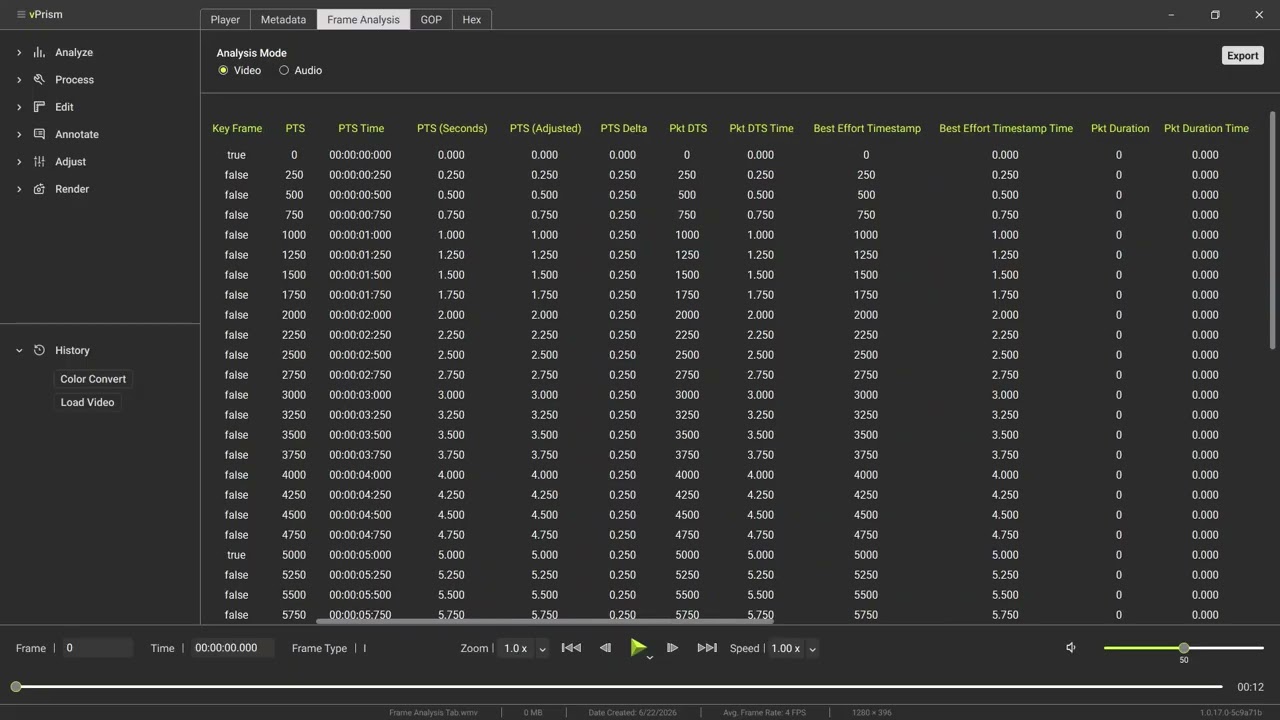
Examine the frame-level metadata behind every frame in a file using the Frame Analysis Tab in vPrism. Switch between Video and Audio modes to review PTS, PTS time, frame durations, packet DTS, best effort timestamp, frame type, resolution, and more, then export to .txt or .csv.
Transcript
Load video to analyze the frame-level metadata in detail using the Frame Analysis Tab.
Choose between video and audio analysis modes.
In Video Mode you'll be presented with the frame number, media type, stream index, PTS, PTS time and mathematical adjustments thereof, as well as frame durations, packet DTS, best effort timestamp, frame type, resolution, and more.
Switch to Audio Mode to see detail specific to the audio stream.
Right click on the headers to hide specific columns, or show them all.
Click Export to save the data in txt or csv form, for outside analysis.
With this, you can examine the detailed metadata behind every frame in the file.