
It’s critical to have a solid understanding of frame timing when analyzing a video for collision reconstruction, and duplicated frames can wreak some havoc.
Mark Crouch and Stephen Cash introduced me to an elegant method of sniffing them out: mark a feature on the subject vehicle in each frame and look for subsequent frames without movement. Or, for dropped frames, look for a frame where the feature jumps farther than expected.
While examining frame-level metadata of a vPrism users’s video this week, I realized packet size is another great way to detect duplicate frames. It works like this: for predictive frames (P and B), encoders use reference frames to avoid encoding the same image information over and over, and anything that remained unchanged costs next to nothing. Conversely, I-Frames are coded on their own without reference to another frame. So, if two frames are identical, the second frame requires almost no new information. Here’s an example:
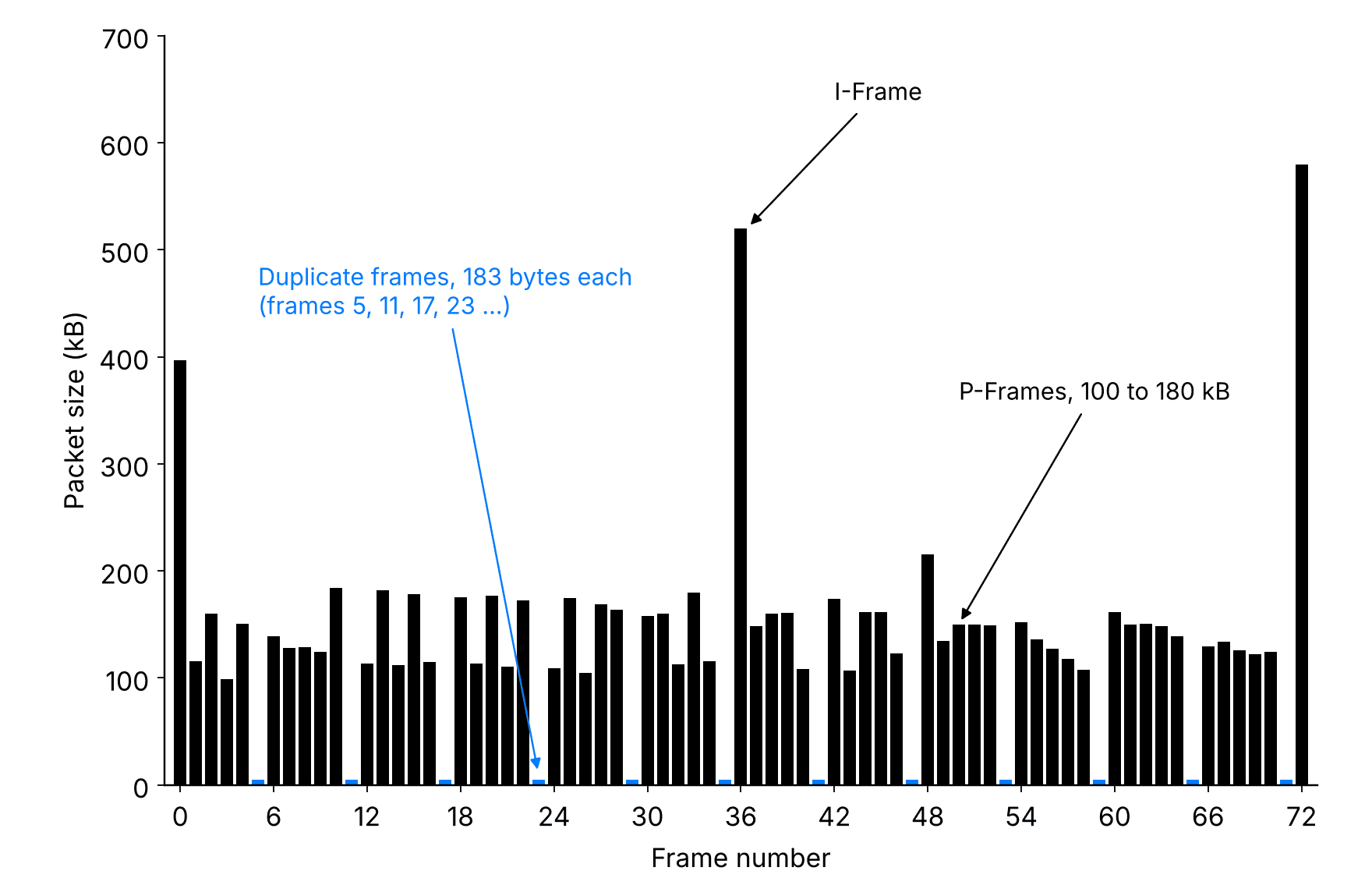
Frames 1, 36, and 72 are I-Frames, and as such, carry lots of data. All the other frames are P-Frames, and because lots of pixels are reused from the prior frame, they’re ~ one-eighth the size. Then, every 6th frame is tiny (183 bytes) because almost no new information is written. Those are the duplicates.
This suspicion can be confirmed by stepping through the video frame by frame and by performing a macroblock analysis, which would show a whole heap of skip macroblocks.
Usually, the timing of the duplicated frame will be presented as if it represents a new moment, though it’s actually repeating the previous one. With that in mind, a correction can be made and your speed trace will likely fall in line.
Thanks for reading, keep learning!
Lou Peck
P.S. If you missed last week's email, we have a new podcast with Terry Day up!